
Umbraco vs WordPress | Which CMS Is Right for Your Website?

If you are comparing Umbraco vs WordPress, the right choice usually comes down to how your website will be managed, how custom the build needs to be, and what sort of team will support it over time. Both platforms can be strong, but they are not aimed at exactly the same projects.
For many organisations, freelancers, and agencies in the UK, WordPress is often the more practical choice because it is easier to work with, more widely supported, and more flexible across a broad range of websites. For a broader look at planning, building, and managing a successful site, read our web design guide.
Key Takeways
Both platforms can be strong, but they are not aimed at exactly the same type of website. The better choice depends on how the site will be managed, how custom the build needs to be and who will support it.
For many business owners, marketers and content editors, WordPress is usually more familiar and easier to manage after launch.
Umbraco may make sense when a website needs a more bespoke .NET-based setup or when an internal development team already works in that ecosystem.
Both platforms can support SEO, but the structure, content, performance, internal links and technical setup matter more than the platform name alone.
The right CMS is not just about the initial build. It should also be practical to update, maintain, secure and improve over time.
A CMS should match the business goals, budget, editing needs and available support. A technically impressive platform is not always the most practical choice.
What is the difference between Umbraco and WordPress?
At a high level, both Umbraco and WordPress are content management systems (CMS) that let you build, manage, and update websites. The difference is in how they are structured, who they are most often built for, and how much technical input they usually require.
A quick overview of each platform
WordPress is by far the more widely used platform. According to W3Techs usage data, WordPress powers 42.5% of all websites and 59.8% of websites where the CMS is known, which helps explain why it feels so familiar to so many businesses, freelancers, and agencies.
Umbraco is a .NET-based CMS that is often chosen for more custom development projects. Umbraco’s own official documentation describes it as a flexible, editor-friendly CMS built on Microsoft’s .NET platform, which makes it a more natural fit for teams already working in that ecosystem.
How they are commonly used
WordPress is commonly used for brochure sites, blogs, service-led websites, marketing sites, eCommerce stores, and content-led platforms. It works well for organisations that want a system that can be managed without a heavy development workflow every time content needs to change.
Umbraco is often used for more bespoke sites, especially where there is already a development team in place, stronger governance requirements, or a preference for a .NET environment. It can be a very capable option, but it is usually part of a more developer-led process.
Why the right choice depends on the project
This is what matters most. The best CMS is not always the one with the longest feature list. It is the one that fits the team, the website goals, the content workflow, and the budget over time.
For some organisations, Umbraco makes sense because of internal technical requirements. For many others, WordPress is the more sensible choice because it is easier to manage without making every update feel like a development task.
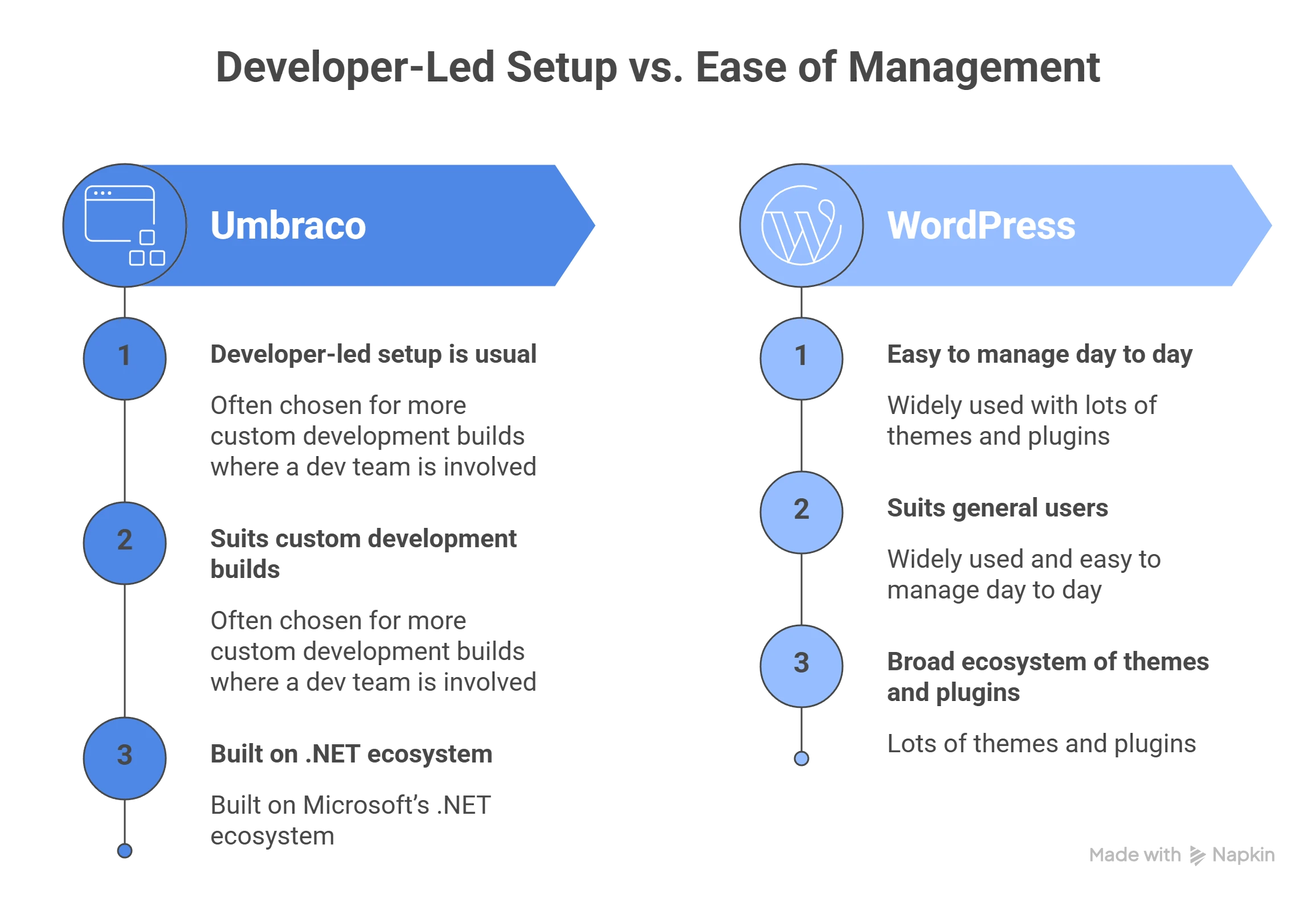
Ease of use and content management
One of the most important questions in the Umbraco vs WordPress decision is not which platform looks better on paper, but which one will feel easier to use once the site is live.
Which platform is easier for day-to-day updates
For most non-technical teams, WordPress is usually the easier system to manage. Adding pages, editing content, updating images, publishing blogs, and adjusting basic settings are all tasks that tend to feel more familiar within WordPress.
That does not mean Umbraco is difficult. In the right build, it can be editor-friendly. The difference is that WordPress usually feels more accessible to a wider range of users, especially where the people managing the site are marketers, business owners, or content editors rather than developers.
How the editing experience compares
WordPress benefits from familiarity. Many people have used it before, or at least know roughly how it works. That reduces the learning curve and makes handover easier.
Umbraco can offer a cleaner editing experience in bespoke builds, especially when content models are carefully planned. That can be a real strength. The trade-off is that it often depends more heavily on how the system was set up in the first place and whether there is ongoing developer support available.
What business owners should think about before choosing
A platform may seem technically impressive, but that does not always mean it is the best fit. A good question to ask is this: Who will actually update the site once it goes live?
If the answer is a business owner, marketing team, freelancer, or content editor, WordPress is often the more practical choice. If the answer is an in-house .NET development team with a preference for a more tailored framework, Umbraco may be more suitable.
Design flexibility and development options
Both CMS platforms can support custom design, but they get there in different ways.
How WordPress handles themes, builders, and customisation
WordPress can be used with themes, page builders, custom fields, block-based editing, or fully bespoke development. That gives it a very broad range of use cases. For a clearer breakdown of how builders fit into WordPress projects, read our guide to Page Builders for WordPress.
For some projects, that means a faster route to launch. For others, it means enough flexibility to create something highly tailored without losing the editorial convenience that makes WordPress attractive in the first place.
This is one reason WordPress works well for such a wide range of organisations. It can support simpler brochure builds, more advanced custom websites, and eCommerce projects without forcing every website into the same model.
How Umbraco approaches design and development
Umbraco is generally more developer-led. It is not a theme-driven ecosystem in the same way WordPress is. That can be a good thing when you want a more tightly controlled build with less reliance on third-party tools.
It also means Umbraco is often better suited to teams that are comfortable treating the website as a more structured software project. If that is already how your organisation works, the platform can feel like a natural fit.
Which platform offers more flexibility for different needs
WordPress often comes out ahead for a broader audience because it gives businesses more room to choose how simple or advanced the setup needs to be. You can build lean custom websites, content-led sites, service sites, landing page systems, and online shops without being locked into one narrow development route.
Umbraco is flexible too, but in a more technical and custom-development sense.

SEO, performance, and scalability
For many businesses, this is one of the most important parts of the comparison because the CMS affects how easy it is to grow the site and support search visibility over time.
WordPress vs Umbraco for SEO foundations
Both platforms can support good SEO when they are built properly. You can manage metadata, URLs, structured content, headings, and internal linking on both.
Where WordPress often has the edge is ease of implementation. It gives site owners and editors more control through familiar workflows, established plugins, and a broader choice of SEO tools. That makes it easier to manage SEO without relying quite so heavily on developer involvement for routine changes.
Umbraco can absolutely be SEO-friendly, but it often depends more on the build quality and how much SEO functionality has been planned into the project.
Performance considerations on both platforms
Neither platform is automatically fast or slow. Performance depends far more on hosting, build quality, theme choices, scripts, image handling, caching, and technical discipline.
A poorly built WordPress website can be bloated. A poorly built Umbraco site can also underperform. The CMS matters less here than the decisions made around it.
That said, WordPress has such a large ecosystem that it is easier to find both excellent and poor implementations. The key is not the name of the platform. It is how carefully the website has been designed and developed.
Which CMS is better suited to future growth
Scalability means different things to different organisations. For some, it means adding more pages, blogs, service sections, or landing pages. For others, it means integrating with internal systems or managing more complex workflows.
WordPress usually scales very well for content growth, marketing-led expansion, SEO development, and multi-page websites that need regular updates. Umbraco may make more sense where growth is tied to more bespoke development needs, stronger governance, or an existing .NET architecture.
Plugins, integrations, and functionality
This is one of the clearest practical differences between the two platforms.
The strength of the WordPress plugin ecosystem
WordPress has an enormous plugin ecosystem. That means forms, SEO tools, multilingual features, eCommerce, CRM connections, performance tools, custom fields, memberships, and booking systems can often be added without reinventing the wheel.
That is not an excuse to overload a site with plugins, but it does mean WordPress is usually quicker and more affordable to extend when the right setup is chosen.
How Umbraco handles features and extensions
Umbraco is extensible, too, but it generally takes a more developer-oriented route. Its extension documentation makes clear that the platform supports a range of extension types, but this sits closer to custom development than the off-the-shelf plugin culture many WordPress users are used to.
That can be a benefit when a team wants more control. It can also mean more development time for features that WordPress users might expect to add more quickly.
What to consider when your website needs extra functionality
A useful question is not just what the website needs now, but what it may need later. Will it need forms, gated content, multilingual support, eCommerce, third-party integrations, custom post structures, or landing page flexibility?
If the website is likely to evolve in several practical directions, WordPress is often easier to extend.
Security, maintenance, and support
Security is often treated as a platform debate, but the real issue is usually how the site is maintained.
How updates and maintenance differ
WordPress maintenance often involves keeping the core system, plugins, and themes updated. That means maintenance needs to be active and consistent.
Umbraco maintenance is typically more developer-led. That can suit organisations with technical teams in place, but it also means the website may feel less self-manageable if that support is not readily available.
Security considerations for each platform
WordPress sometimes gets criticised for security, but this is often more about poor maintenance than the platform itself. Because it is so widely used, weak WordPress sites are highly visible. Well-maintained WordPress sites with sensible plugin choices, secure hosting, and regular updates can be very secure.
The same basic truth applies to Umbraco. A secure website depends on good setup, strong hosting, disciplined updates, and sensible development practices.
The importance of ongoing support and setup quality
A CMS is only as reliable as the way it is built and looked after.
For many smaller organisations, agencies, and freelancers, WordPress has an advantage because there is a larger support base and more flexibility in who can maintain the website over time.

Cost and long-term value
Initial build cost matters, but so does the long-term cost of keeping the website useful, secure, and easy to manage.
Initial build costs and development time
Umbraco projects often involve a more developer-heavy setup from the start. That can be justified on more bespoke builds, but it can also increase project cost and build time.
WordPress can also be developed properly and strategically, but it often allows a more efficient route for brochure sites, service-led websites, content-rich marketing sites, and many business websites that do not need a .NET-first build.
Ongoing maintenance and support costs
With WordPress, costs may include plugin licences, hosting, updates, and support. With Umbraco, costs may sit more heavily in developer time and technical support. For a clearer breakdown of what ongoing support should include, read our guide to a Website Maintenance Plan.
This is not just about price. It is also about how easy the website is to keep improving. A platform that slows down routine progress can become more expensive in practice, even if the headline technology looks attractive.
Which option offers better value for different businesses
For many SMEs, freelancers, and agencies, WordPress offers better long-term value because it balances usability, support availability, and speed of implementation.
Umbraco may still be the right choice for organisations with very specific development requirements, existing .NET infrastructure, or a strong reason to avoid a more mainstream CMS.
Who should choose WordPress and who should choose Umbraco?
By this point, the broad pattern is usually clear.
When WordPress is likely the better fit
WordPress is often the better option for marketing-led websites, SEO-conscious businesses, agencies, service-led organisations, content-heavy sites, and teams that want more control over day-to-day updates.
It is especially strong when flexibility, ease of editing, broad support, and long-term content growth matter. If you are planning a WordPress site and want help choosing the right setup, see how I approach WordPress website design for small businesses.
When Umbraco may make more sense
Umbraco may make more sense when the project sits within a .NET environment, needs a more bespoke technical framework, or is being managed by a development team that already prefers that ecosystem.
That does not make it the better platform overall. It just means it can be the better fit in the right technical context.
Why the right platform depends on goals, budget, and workflow
This is the key point in the WordPress vs Umbraco discussion. The best choice is not about prestige. It is about fit.
If the priority is a practical, editor-friendly website that can grow without becoming difficult to manage, WordPress is usually the stronger option for the audiences this comparison is aimed at.
Final thoughts on Umbraco vs WordPress
When weighing up Umbraco vs WordPress, both platforms have strengths, but they are not equal fits for every type of project. Umbraco can be a strong option for more bespoke, .NET-led builds, especially where internal technical requirements point in that direction. For many UK organisations, freelancers, and agencies, though, WordPress is the more practical choice. It is easier to manage, better supported, and usually more efficient for content-led, marketing-focused websites that need to evolve over time.


FAQs
01
Is WordPress easier to use than Umbraco?
For most non-technical users, yes. WordPress is usually easier to manage day to day, especially for editing pages, publishing blogs, and handling routine updates. Umbraco can be editor-friendly too, but it often depends more on the build and the available technical support.
02
Is Umbraco better for enterprise websites?
It can be a good fit for enterprise projects, particularly where there is an existing .NET environment or a need for more bespoke governance and development workflows. That said, WordPress is also used successfully on large and complex websites, so enterprise suitability is not exclusive to Umbraco.
03
Which is better for SEO, Umbraco or WordPress?
Both can support strong SEO, but WordPress is often easier for editors and marketers to work with because of its tools, plugins, and familiar workflows. Umbraco can perform very well too, but the setup often depends more heavily on development decisions.
04
Is WordPress cheaper than Umbraco?
In many cases, yes. WordPress often allows a more efficient build process and more flexible support options, especially for brochure sites, service-led websites, and content-focused projects. The real cost difference depends on the complexity of the build and how the site will be maintained over time.
05
Can you migrate from Umbraco to WordPress?
Yes, it is possible to migrate from Umbraco to WordPress. The level of difficulty depends on the site structure, content volume, templates, and any integrations that need to be carried across. The smoother the planning, the easier the migration tends to be.
Author Bio

Fred Morpeth
Table of Contents