
Location page SEO guide for 2026

If you want to show up when people search for a service in your area, location page SEO is the process of making one clear page that proves where you work, what you do, and why you are a good choice.
This matters most when your customers search with a place name, such as “electrician Bristol” or “accountant in Leeds”. A strong location page gives Google the context it needs and gives customers the confidence to contact you.
In this guide, I’ll keep things practical and focused on single-location service businesses across the UK. If you want the wider framework first, you can also read my guide to local SEO for small businesses.
Key Takeaways
A location page helps your website appear for searches that include a place name or nearby intent.
For single-location businesses, the page should clearly explain what you do, where you work and how customers can contact you.
A strong location page is not a thin page created only to target a town or city name.
Service-area pages can work for larger or multi-location businesses, but single-location businesses should avoid creating lots of near-identical pages.
Useful local content, proof, reviews, service details and clear contact routes can all make a location page stronger.
The best location pages are written for real customers first, while still giving search engines clear local context.
What a location page is and what it is not
A location page is a page on your website that targets searches where people include a place name or “near me” intent. For a single-location business, it is often your homepage or a dedicated “Service in [Town]” page that acts as the main landing page for local searches.
You might also hear these called local landing pages. The goal is the same: match local search intent and guide the visitor towards a clear next step.
It is not a page you create for every nearby village, postcode, or suburb. That approach usually leads to thin, repetitive pages that do not add value. It also makes your site harder to manage.
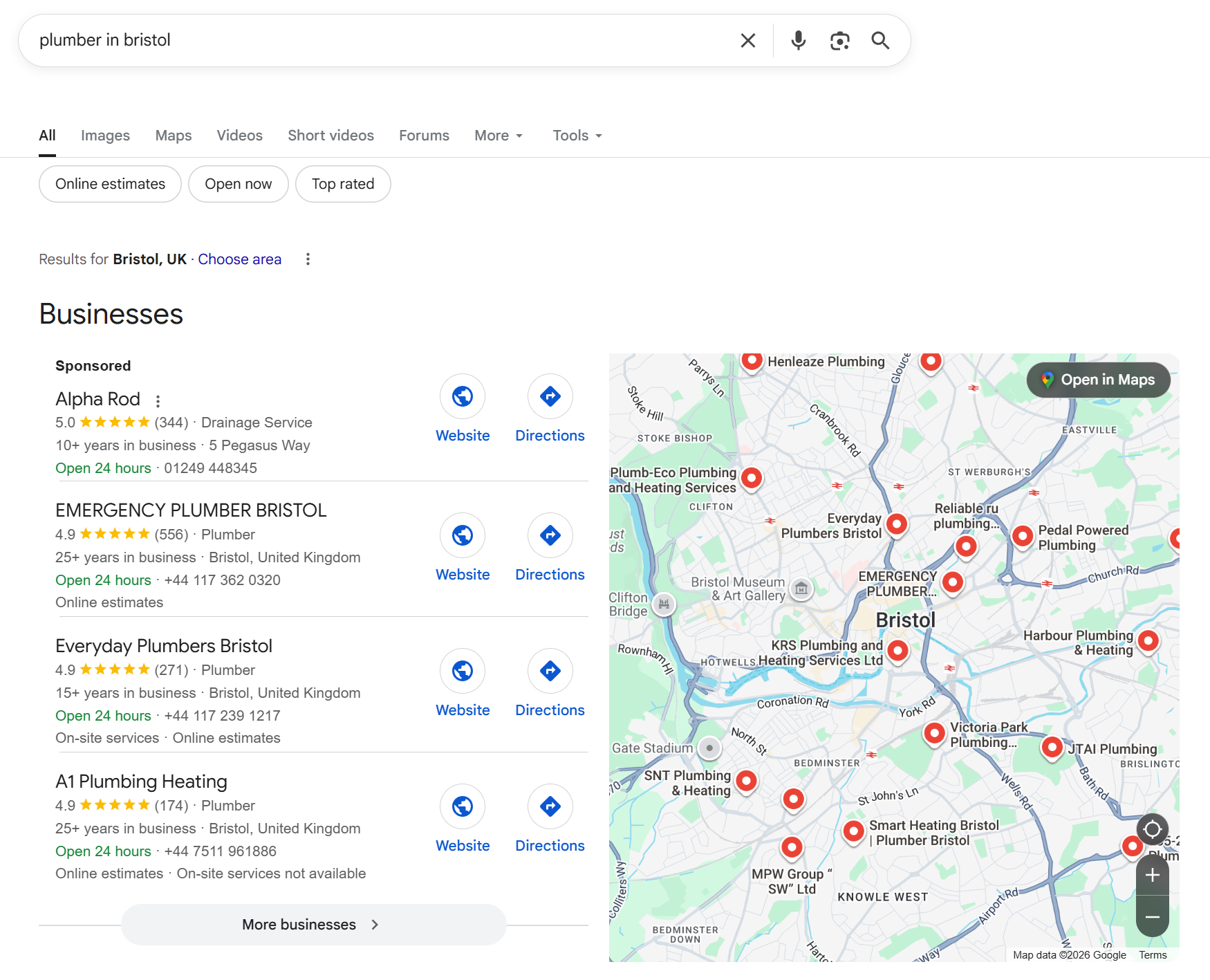
Location page vs service page
A service page explains what you do. A location page explains what you do and where you do it. For many single-location businesses, you can combine both if the page stays focused and covers the essentials.
A good example is a plumber in Bristol whose main page clearly covers plumbing services, their base, their travel area, and proof they do local work.
Location page vs service-area pages
Service-area pages are separate pages that target different towns or regions. They can make sense for multi-location brands or businesses with clear service hubs.
If you are a single-location business, you can still target nearby areas without building dozens of near-identical pages. You do this by explaining your travel area, mentioning genuine local context, and earning local trust signals.
Why location pages matter for single-location service businesses
Local searches are high intent. When someone types “boiler repair near me”, they are not browsing. They are trying to solve a problem.
Your location page is often the first page they see. It has two jobs.
The searches you are trying to win
This is usually a mix of “service + town/city”, “service + near me”, and urgent modifiers.
Examples include “emergency locksmith”, “boiler service Bristol”, “roof repair near me”, and “family solicitor in Cardiff”.
The outcomes that matter
For most service businesses, success looks like calls, form enquiries, bookings, and quote requests.
A clear, locally relevant page reduces hesitation. It also reduces quick exits, which helps because Google is trying to rank pages that satisfy the search.
A step-by-step process for location page SEO
This is the workflow I use when tightening up a single-location service page. It keeps the page focused, useful, and easy for Google to understand.
Step 1: Keyword research
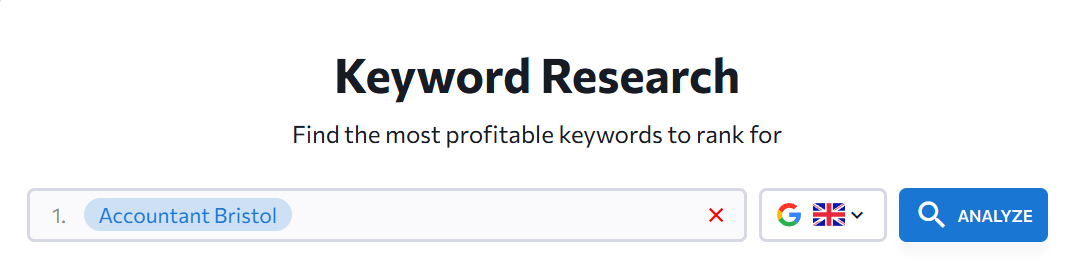
Start with the real phrase people use, not the term you use internally.
Pick one primary keyword that matches your core service and location. Then list close variants that mean the same thing, such as “near me” versions, service synonyms, and intent modifiers like “emergency” or “same day”.
When you write, aim for clarity, not repetition. Google’s own guidance points out that you should place the words people search for in prominent places like the page title and main heading.
Step 2: Write genuinely location-specific content
For location page SEO, your goal is to answer the local version of the question: “Can you do this job for someone like me, where I live?”
The copy should read naturally, but it also needs clear location signals. That means you mention your town or city where it helps the reader, then you support it with details that would be true for that area.
H1 and headings
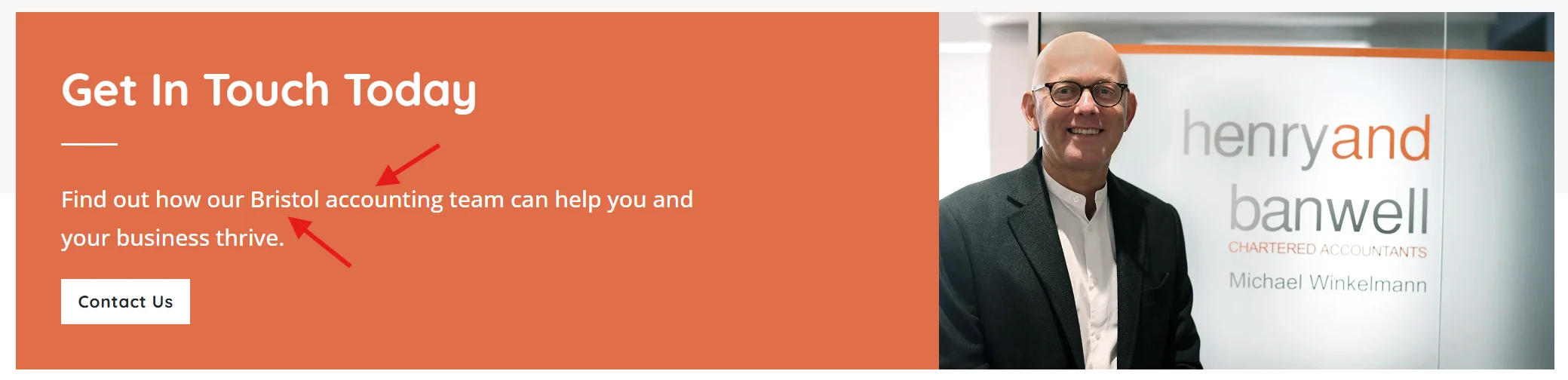
Use one clear H1 that includes your service and location. Then use supporting headings that answer real questions, such as prices, response times, and what is included.
If you use Rank Math, you will see these elements clearly in the editor. The plugin is helpful for checks, but the quality still comes from the page itself.

Service boundaries
Be specific about where you do and do not cover. This is one of the clearest relevance signals because it sets expectations and reduces wasted enquiries.
Local expectations
Add the practical details that affect jobs in your area, such as parking, access, out-of-hours callouts, or working in city-centre properties. This is where the page stops sounding generic.
Proof that you are active locally
Use short, credible proof points. Mention the types of customers you help, the kinds of properties you work on, and a real example that fits your location.
Keyword Placement
To keep keyword placement clean, use the keyword once early in the section, weave it in naturally once or twice where it fits, then save the final mention for the end of the page so the conclusion reinforces location page SEO without repeating it every few lines.
Step 3: Use local images
Local images build trust faster than stock photos.
Use photos of your team, branded vehicles, real work, and recognisable local settings when appropriate. Keep image names and alt text simple and descriptive. For example, “boiler-installation-bristol.jpg” and “New boiler installation in a Bristol terrace”.
Step 4: Add local customer reviews
Reviews support both trust and relevance.
Choose reviews that mention the service and, where natural, the location. Do not edit reviews to force place names in. Instead, pull the best lines that already show local context.
If you want a single data point on why this matters, BrightLocal’s survey found that 27% of consumers use only one website for reading reviews before choosing a local business. That means your on-page proof and your main review profile often carry a lot of weight.
Step 5: Include a relevant on-page CTA
This is not a blog call-to-action (CTA). It is the next step on the page your customer is viewing.
Make it match the service and the intent.
For urgent services
A clear call button, a short form, and an “availability today” style message can reduce friction.
For the considered services
A quote form, a consultation request, or a pricing guide download can work, as long as it is specific to the service.
Keep the CTA consistent with what the page promises. If your page says “same-day callout” but your form goes unanswered for two days, the page will not convert well.
Step 6: Meta Titles and Descriptions
This is where you make the page easy to scan and easy to interpret.
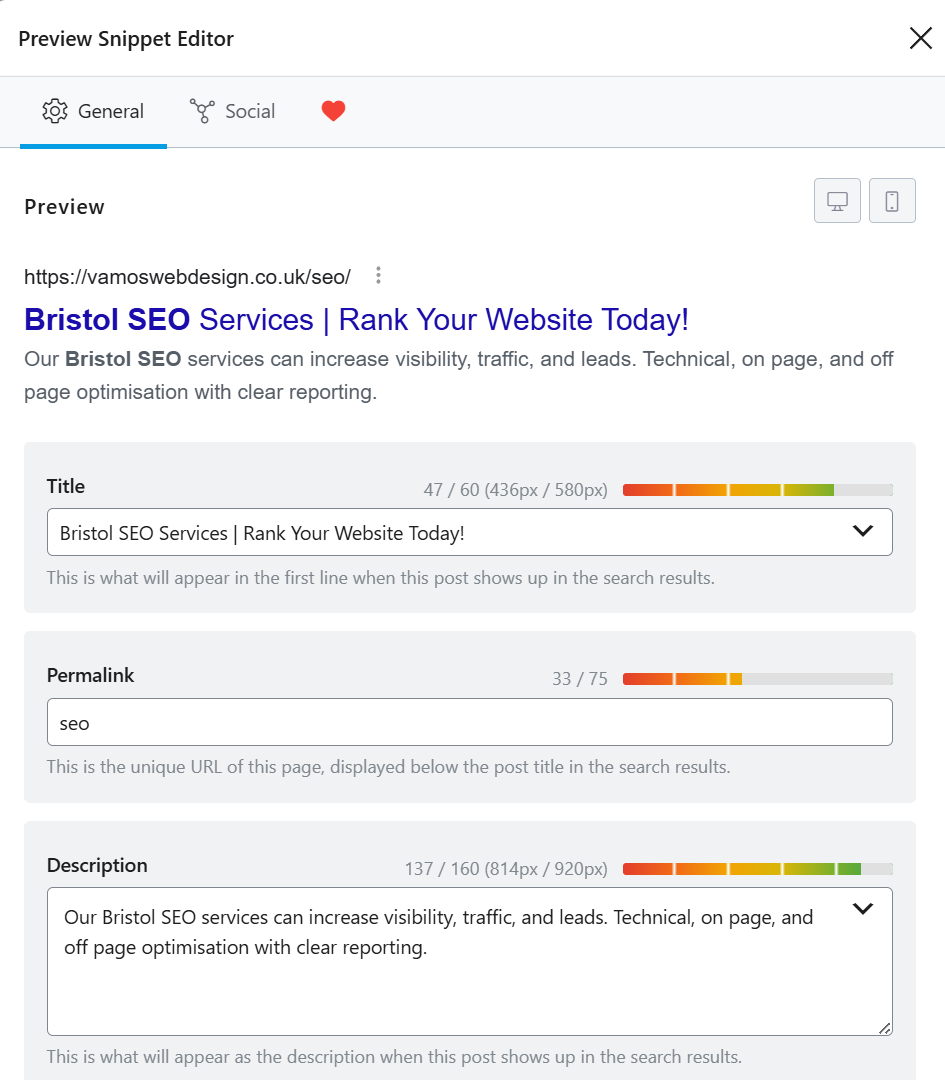
An SEO plugin such as Rank Math or Yoast makes this easy to manage in WordPress by giving you dedicated fields for your meta title and meta description.
Meta title
Aim for a clean promise. A common format is “Service in Location | Brand”. Keep it readable.
Meta description
Use one short sentence that mirrors the search intent. Include a trust signal if you have one, such as years in business or a key service guarantee.
Step 7: Add schema markup
Schema helps search engines understand what your business is and what the page is about.
For a single-location service business, LocalBusiness schema is often the base, with Service schema where it fits.
If you want a deeper explanation of schema choices and common mistakes, read my post on Schema Markup for Local SEO.
Step 8: Strengthen internal links and local trust signals
Internal links help Google see which pages matter.
Link to your location page from:
Your core service pages
Use natural anchor text that matches how people read, not a forced keyword.
Relevant local SEO blogs
Where it makes sense, link from supporting content to the main page so authority flows to your key landing page.
Off-page signals matter too. If you are building local authority, this guide on Link Building for Local SEO will help you keep it clean and relevant.
Make the page feel genuinely local
Most location pages fail because they sound generic. The fix is not to repeat the town name ten times. The fix is to include details that only a local business would know.
How to gather local specifics quickly
You already have most of what you need.
Look at your real job history
Which areas do you actually work in each week? Which jobs are common in those areas?
Pull real questions from calls and emails
People ask the same local questions over and over. If you answer them on the page, the page feels grounded.
Note real constraints
In many UK towns, parking and access matter. In Bristol, for example, customers often want to know whether you can handle tight terraces, permit parking, or out-of-hours work without disruption.
The difference between “local” and place-name stuffing
Mention nearby areas only when it helps the reader understand coverage. If you cover “Bristol and the surrounding area”, you can clarify a few nearby points such as Clifton, Bedminster, and Filton, but you do not need a long list.
If the page reads awkwardly out loud, it is usually a sign you have pushed too far.
A mini template you can copy
Use this structure to keep your page readable.
Who do you help in this area
Name the type of customer and the type of property or scenario you often work with.
What you do
State your service clearly and what is included.
How it works locally
Share the practical delivery details: response time, travel area, working hours, and what customers should expect.
Proof
Add reviews, photos, and a short local example.
Next step
Make the contact option obvious and consistent with the page promise.
Technical checks that support location pages (and stay out of the way)
The checklist covers the visible parts of the page. In location page SEO, these checks stop technical issues from blocking performance.
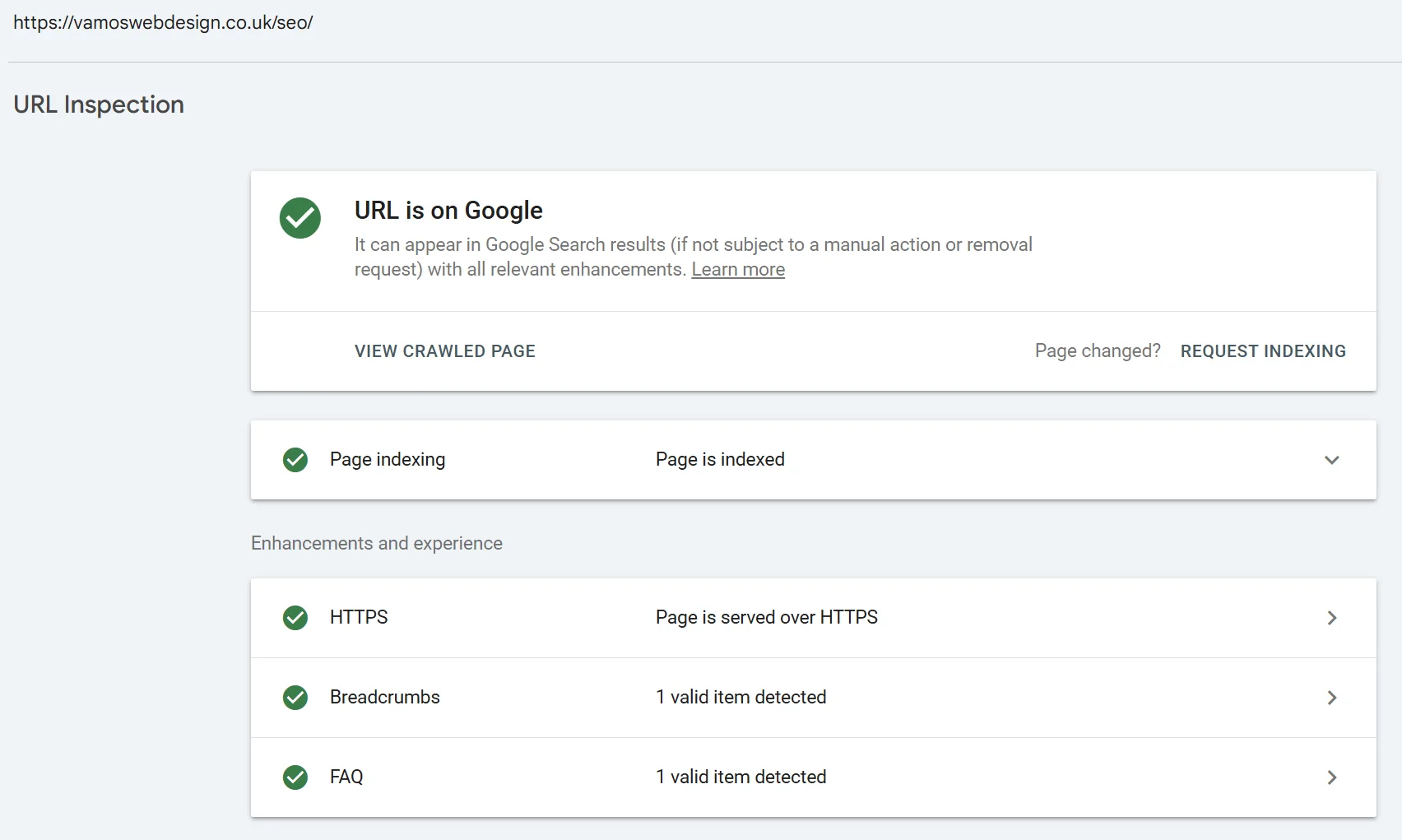
Make sure Google can crawl and index the page
Check for accidental “noindex”, blocked resources, and missing sitemap inclusion.
Rank Math settings are a common place for this to go wrong because the controls are easy to toggle. A quick sanity check in Google Search Console is usually enough to spot problems early.
Avoid duplicate and conflicting URLs
Over time, it is easy to end up with multiple versions of the same page.
This can happen with HTTP vs. HTTPS, trailing slash variations, or old pages left live after a redesign. Pick one clean canonical URL and make sure internal links point to it.
Page experience basics that impact local enquiries
Local visitors are often on mobile. If your page is slow, jumpy, or hard to use, they leave.
Keep images compressed, avoid heavy scripts, and test the page on your own phone. Small usability wins often lead to better engagement and more enquiries.
Common pitfalls and how to avoid them
Most location page problems come from trying to do too much, too quickly.
Copy-paste pages with swapped town names
This is the fastest way to create pages that add no value.
Google has been clear for years that pages created just to capture searches can harm quality. Their post on doorway pages is still the clearest explanation of the risk.
If you need to target nearby areas, expand your main page with real local detail, build supporting content, and earn relevant local mentions.
Over-optimisation and spam signals
If every heading repeats the same phrase, the page looks forced.
Write for the reader first. Use the location in key places, then let the rest of the copy be natural.
Inconsistent business details online
If your address, phone number, or name varies across your website and listings, you create confusion.
Keep your NAP consistent and make sure your site matches your Google Business Profile. As a Bristol SEO company, I can help build that local relevance without relying on thin location pages or forcing place names into the copy.
Case study: improving a Bristol service page for local searches
Here is a real-world style example of how we approach this work at Vamos Web Design.
The problem
A Bristol-based trades business got in touch because they were not showing up for “service + Bristol” searches, even though they had steady reviews and a Google Business Profile.
Their homepage had a lot of generic copy, unclear service boundaries, and no local proof beyond a single line in the footer. The page also mixed several services in one block, so it was not clear what the main offer was.
The method
We tightened the page around one core service and one primary location intent.
Page structure
We rewrote the opening so it confirmed the service and Bristol coverage right away, then added supporting sections that answered local questions.
Local proof
We added real project photos, a short “recent work in the area” note, and reviews that reflected the service they wanted to sell most.
Rank Math checks
We updated the title and description to match the search intent, kept the H1 clean, and added LocalBusiness and Service schema where appropriate.
Internal linking
We linked to the page from relevant service content and removed links that pulled users away too early.
The results
The page became clearer for customers, which improved engagement and enquiries.
From an SEO angle, we saw the page start to appear for a wider set of local search variations in Search Console, and it became the page Google most often returned for their core local queries.
GEO and AI overview readiness
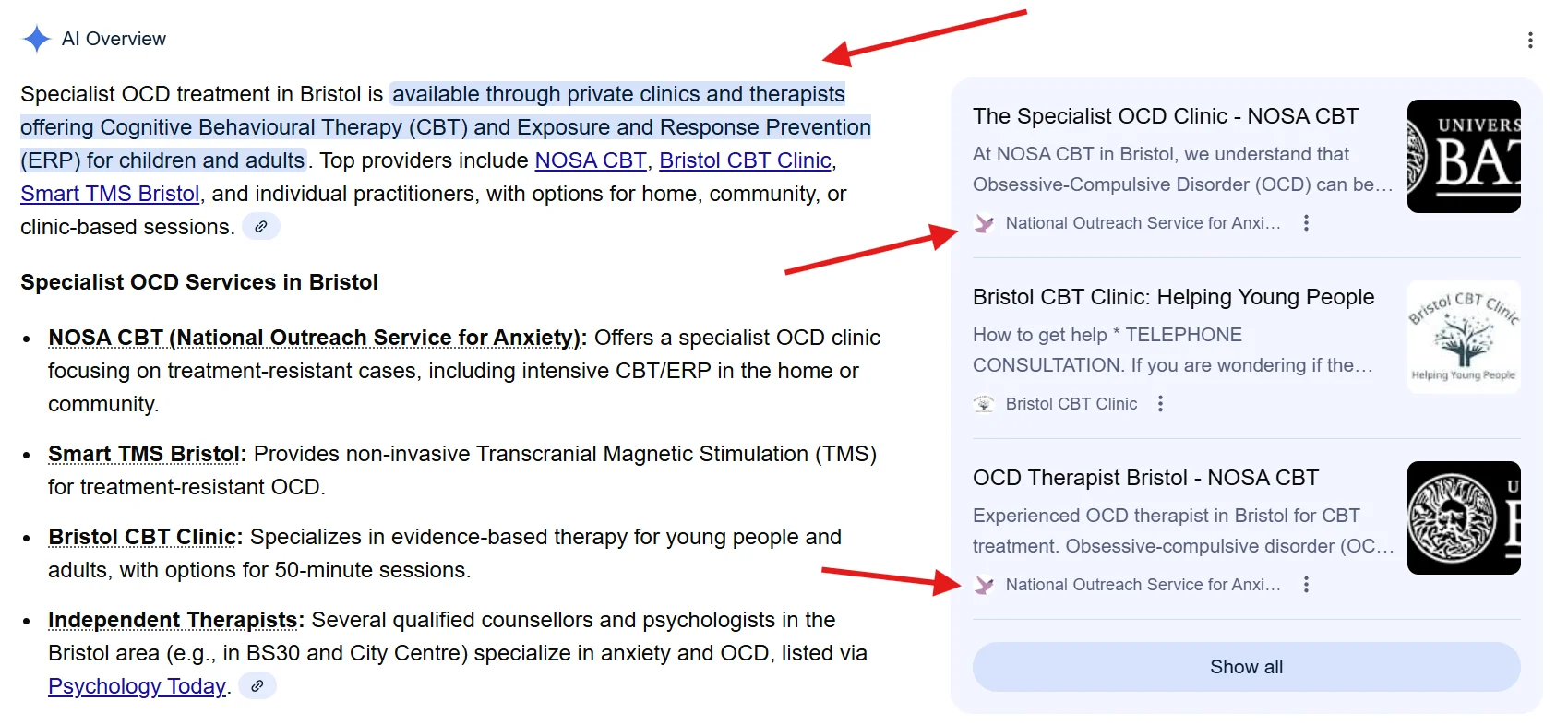
If you want your content to be picked up by AI overviews and answer engines, the basics are simple.
Answer-first formatting
Put the definition and main takeaway near the top. Use clear headings, short paragraphs, and plain language.
When a page answers the question early, it is easier for AI systems to quote it and easier for users to trust it.
Entity coverage and structured data
Be clear about the entities that matter.
That means your service, your location, your business details, and what makes you a good choice. Schema supports this, but only when the page content is already clear.
Helpful supporting references
A small number of reputable references can support trust. The trick is to use them sparingly and only where they add clarity.
Final Thoughts
A good location page is not about repeating place names. It is about making your offer clear, proving you serve the area, and removing friction from the next step. If you follow the workflow above and keep the page honest and specific, location page SEO becomes a straightforward way to win more of the searches your customers are already making.


FAQs
01
Do single-location businesses need a separate page for every town they serve?
Usually, no. If you have one base and you cover nearby areas, one strong page with clear coverage and local proof is often enough. If you do create extra pages, each one needs its own purpose and unique local content.
02
What should a location page include for local rankings?
It should confirm the service, the location, and the service boundaries, then support that with proof such as reviews, photos, and local details. Keep the structure simple so users can scan it quickly on mobile.
03
How do I avoid creating thin or low-quality location pages?
Avoid copy-paste text and long lists of nearby towns. Add details that are true for that area, such as common job types, response times, and constraints that change locally. If you cannot write something unique, do not publish the page.
04
Should I use LocalBusiness schema on a location page?
If the page represents your main business location, LocalBusiness schema often makes sense. Pair it with clear on-page business details so the markup matches the visible content.
05
Can a location page rank without a physical address in that town?
Yes, but you need to be clear about where you are based and where you work. Explain your service area in plain language and build trust with reviews, local proof, and consistent details across your website and listings.
Author Bio

Fred Morpeth
Table of Contents